
Please follow the steps below to install the recommended app, activate & add the playlist on any LG or WebOS Smart TV.
Step# 1: Install “Sky Media Player” App on LG Smart (WebOS) TV
- Press the Home Button on your LG Smart TV remote control as shown in the image below:

- Select LG Store Content App:

- In the search field, please type the app name: “Sky Media Player”.
Alternatively, you can press the mic symbol and say, “Sky Media Player”.
- Then Select the App >> Press Install >> Then open the App.

Step# 2: Activate the App & Add the Playlist:
- Open Sky Media Player App. The Device ID will display on your TV screen like the image below:
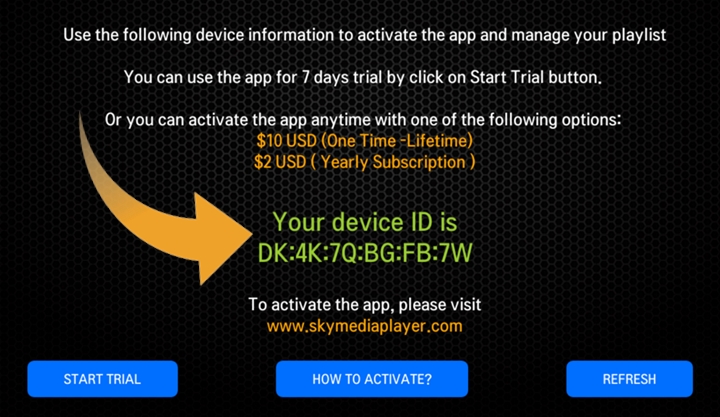
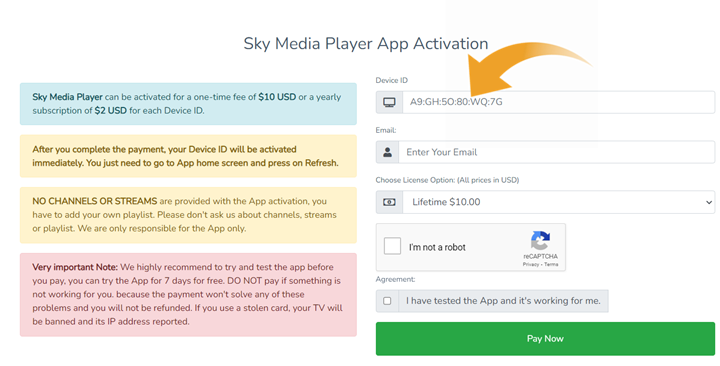
- Open Sky Media Player website >> Activation page at:
https://skymediaplayer.com/activate
Add your Device ID, then pay the activation fee. You have two options for Activation (1 Year or Lifetime).
After you complete the payment, your Device ID will be activated immediately. Just refresh the App after you complete the payment.
Step# 3: Add your Playlist/ M3U URL:
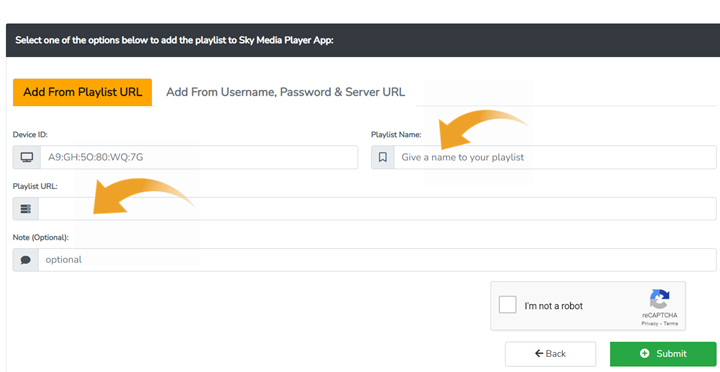
- Open Sky Media Player website >> Upload Playlist at:
https://skymediaplayer.com/upload_playlist.php
Add your Device ID, and Playlist URL and give a name to your playlist, then click Submit button.
- Go back to “Sky Media Player” App on your TV >> Then Press Refresh
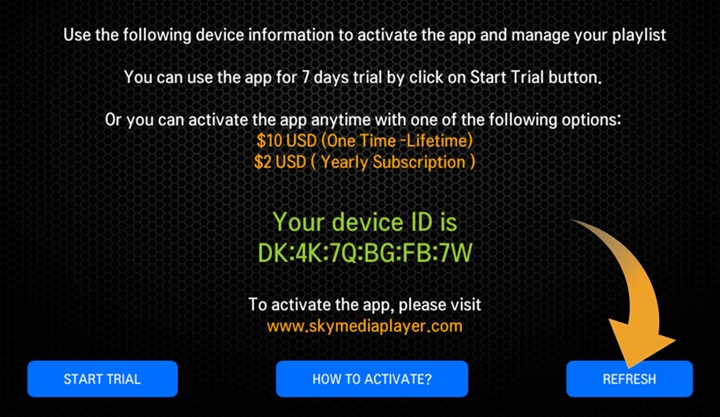

All done … Enjoy using Sky Media Player App!
To order the TV subscription, please CLICK HERE
Note: After you complete the order. You will receive an email immediately, including your TV subscription playlist details.
